
A simple Arduino Nano-based tool for reading, writing, and recovering original Xbox EEPROMs without the usual hassle.
Sometimes original Xbox hardware has a way of reminding you how fragile things really are.
One corrupted EEPROM, one missing backup, a crashed hard disk, or a missing HDD key – and suddenly a console that should work just… does not. No boot, no dashboard, no easy recovery path.
There are ways to bypass that. You will often see people suggesting hardmodding the Xbox and throwing in a fresh hard disk. But what if you actually want to work with the original hardware? What if the hard disk or the mainboard still matters to you, and the link between them is broken because one of the two failed?
NanoProm came out of me trying to replicate my old reliable Windows 98 and Windows 7 serial cable setup after my last machine with a serial port finally died. At that point, it made sense to turn the idea into something more useful – a simple tool that anyone can use for free if they run into the same problem.
What NanoProm Actually Does
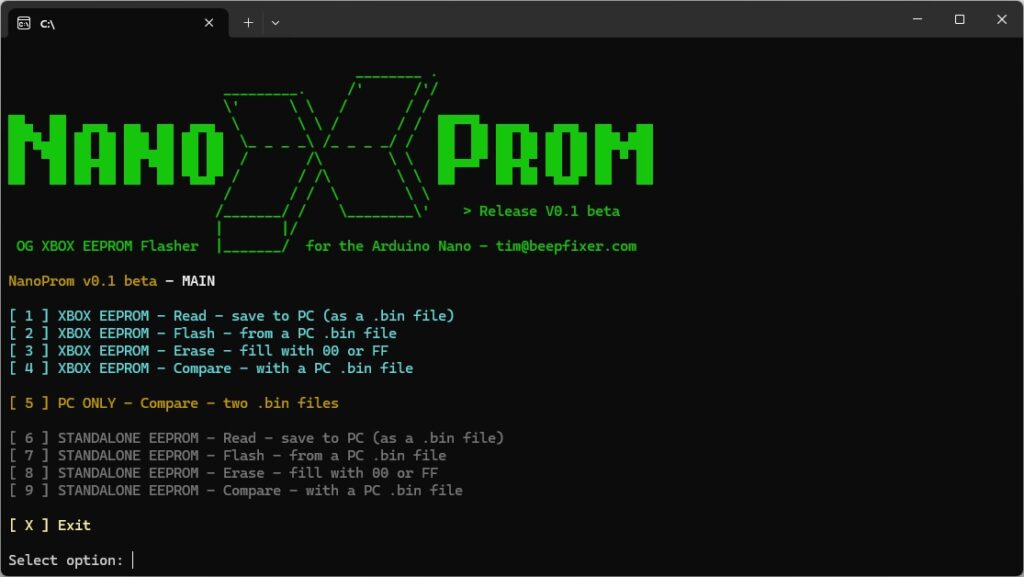
NanoProm is a small Arduino Nano-based tool for working with original Xbox EEPROMs, as well as standalone 24C02 EEPROM chips outside of the console.
This is especially useful if you do not have access to a dedicated programmer, or when the work is split between people. In some cases, it is much easier to send just the chip in a small envelope than to deal with a full console or mainboard.
Instead of relying on command line tools or old serial setups, it provides a simple menu-driven interface using a cheap 2 to 3 dollar Arduino Nano clone.
With it, you can:
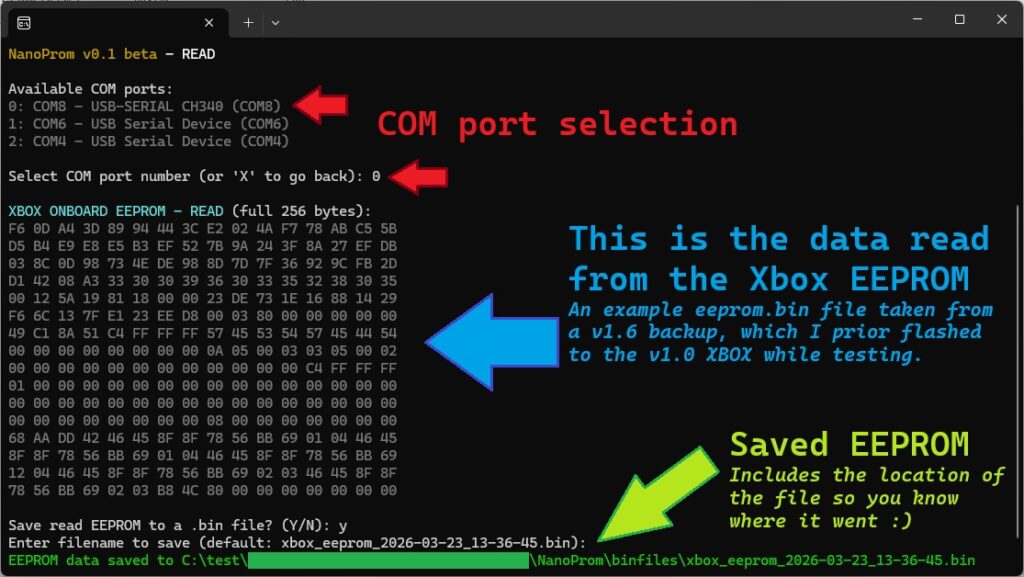
- Read EEPROM data from a console or chip
- Write EEPROM backups safely
- Erase EEPROM or 24C02 chips when needed
- Verify writes automatically
- Compare EEPROM dumps with backups
- Compare two EEPROM files to spot differences
How to Use It
NanoProm is designed to stay as simple/cheap as possible on the hardware side, while the full wiring guide, installation steps, and setup instructions are covered in detail in the GitHub repository.
If you want to build or use it, the README walks through everything step by step, including wiring diagrams and the full setup process.. Everything you need to get it running is documented there, so there is no need to repeat it here in the blog.
👉 https://github.com/BeepFixer/NanoProm
Buy a Kit
Don’t want the hassle of sourcing components and flashing the Nano yourself? I also offer a ready-to-use NanoProm Kit, pre-programmed and tested, including a spare 24C02 EEPROM chip in case you need a replacement.
Final Thoughts
As said, NanoProm started as a small personal workaround for a very specific problem, but it ended up being something that felt worth sharing and I hope it solves a problem for you.
If you work with original Xbox hardware long enough, you eventually run into EEPROM-related recovery situations, and NanoProm, alongside other tools, is meant to make that part a bit more accessible.
Another tool that might interest you if you need NanoProm is http://eeprom.xboxarchive.org/ by Ryzee119, which lets you read and write EEPROM backups where needed.
If NanoProm works for you, don’t worry about buying me a coffee – a like on my work, or a YouTube video like, subscribe, or similar is more than enough. I can buy my own coffee, but I do like hearing that people were helped.
If you’re stuck using NanoProm, as always, feel free to reach out across Reddit or X/Twitter.
Tim